
Vora is a gift voucher plugin that started life as a simple idea: make it easy for a hotel, spa or restaurant to sell beautiful gift vouchers from its own WordPress site. Since then it has grown into a full platform, and the latest update is the one I am most pleased with. Vora can now manage groups.

If you run one venue, nothing gets in your way. If you run several, or look after venues for other people, you can now manage all of them from a single install. Alongside that, the customer journey has had a tidy up from the first click on the storefront to the moment a guest walks through your door with a QR code on their phone. Here is how it all fits together.
Managing groups: one install, every property
Many hospitality businesses are not a single building. There might be a hotel and a spa, a restaurant group with a handful of sites, or a management company running venues for several owners. Until now that usually meant a separate plugin, a separate login and a separate set of settings for every property.
Groups change that. In the portal you create a group, then add each property to it. Every property keeps its own identity, so a guest buying a voucher for the spa sees the spa, not a generic page for the whole company.
- Groups and portals. Create a group, add properties to it and switch between them from one place in the portal.
- Property branding. Each property can carry its own look, name and storefront, so every venue feels like its own brand.
- Dedicated web addresses. Give a property its own hostname for a clean, dedicated storefront address, or keep using your main site.
- The right access for the right people. Team roles let a group administrator see the whole picture while property teams only see what they need.
- A clear trail. Important actions are recorded in the audit log, so you can always see who did what.
The result is less to maintain and far less to explain to new staff. One install, one set of updates, and every property still looks and feels like itself. If you want to set it up, the step by step instructions are in the Vora guide.
A gift voucher plugin storefront customers actually enjoy using
A gift voucher is an emotional purchase, so the buying journey should not feel like filling in a tax form. The Vora storefront is designed to keep it calm and quick.
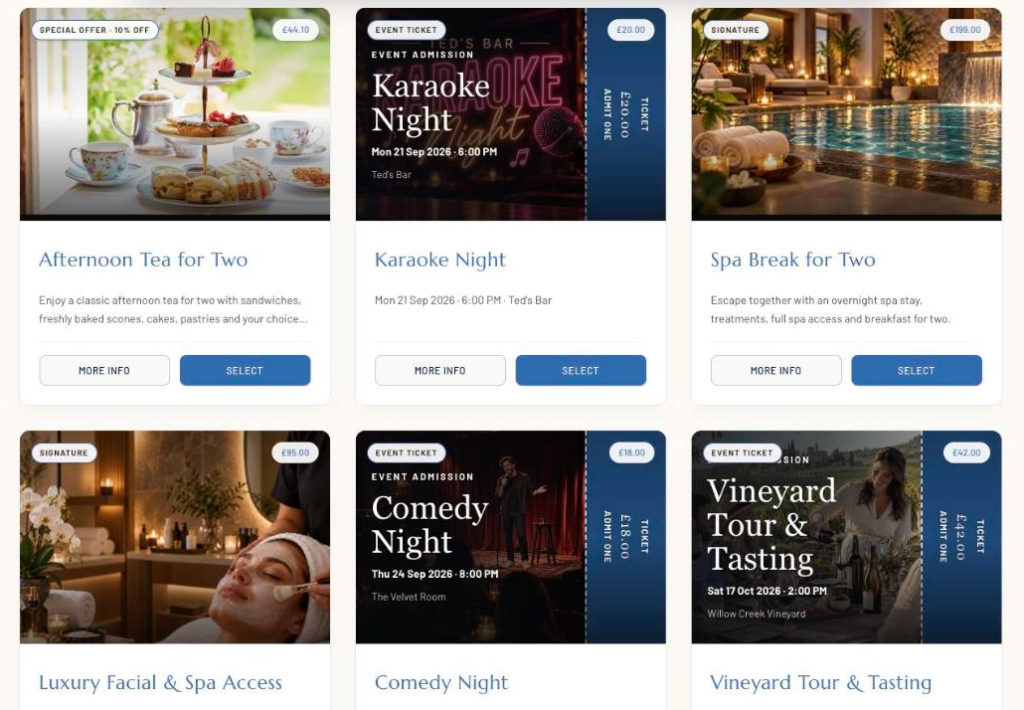
Customers browse your vouchers, experiences and tickets in a clean grid, open the one they like and see exactly what is included. From there they add it to the basket and head to checkout, where the fun part happens. They choose how the gift is presented, personalise the envelope with a message, name the recipient and pick when it should be sent. Delivery can go straight to the recipient, to the buyer to forward on, or as a secure link to view or print.
If the gift is an event, tickets can be bought for a group too, with a unique code for every ticket, so a school or a business can book once and hand out admission to everyone.
Payment is by card, PayPal or bank transfer, and the confirmation page appears only once the payment has been verified. Buyers are never shown a voucher code until it is genuinely ready to use.

The moment the voucher arrives
This is the part of the journey that I think makes the biggest difference. When an animated voucher or ticket is sent, the recipient does not just get a pretty email. Everything they need is there straight away.
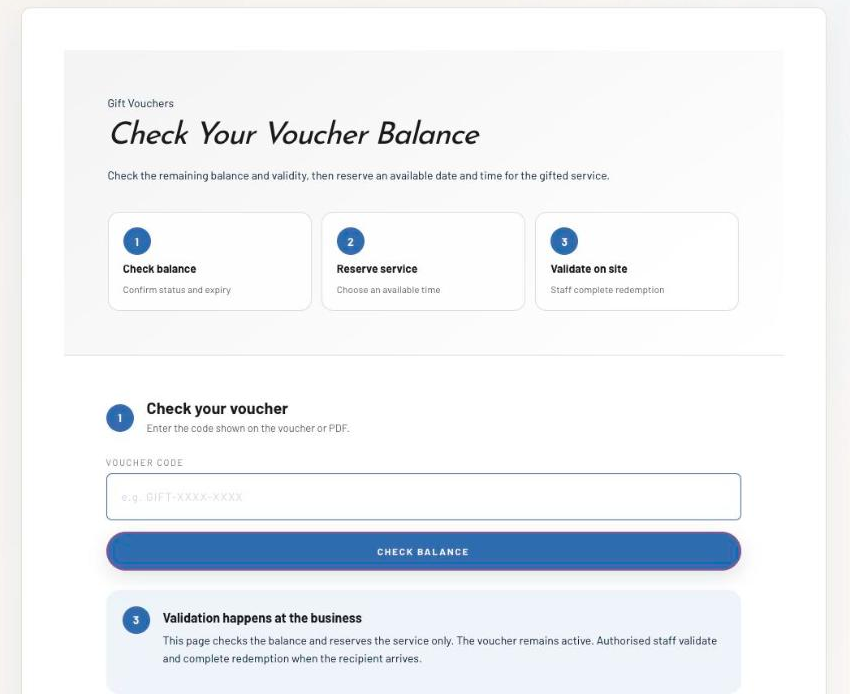
The voucher includes a QR code and a Check and Reserve link. The recipient can scan the code or tap the link and land on a simple page that shows the voucher is valid and what balance remains. Then they choose an available date and time from the slots you have set up. They do not need an account, and there is nothing to download.
For tickets it is just as simple. Every admission has its own reference and its own QR code, so a family or a group arrives with everything on their phones.
It also takes work off your team. Guests book themselves in against the availability you control, so there are fewer phone calls and fewer emails to sort out. And because the booking page only checks the balance and reserves the slot, the voucher stays active until your team completes the redemption on the day.
Gift voucher£75.00
For Emma, with love from Tom.
Valid for 12 months.
Code VG-2026-K7PX
Choose a time
Sat 14:00Sun 11:00
- 1The voucher arrives with its QR code and a Check and Reserve link.
- 2The guest scans the code or taps the link. No account needed.
- 3They see the balance and pick an available time.
Redeeming with the QR code scanner
On the day, your team uses the same QR code from the other side. In the portal, the Redeem screen has a Scan QR Code button. Point a phone, tablet or laptop camera at the guest’s QR code and Vora finds the voucher, shows the balance and lets you confirm the amount to use. There is no typing and no mistakes from misread letters, and if the camera is not available you can still enter the code by hand.
Partial redemption works as you would hope, so a guest who uses part of a voucher keeps the rest for next time. Staff with the Redeemer role can scan and redeem without seeing anything else in your settings, which keeps things tidy and secure. Camera scanning does need your site to be running on HTTPS, which any modern site should be. You will find the walkthrough in the guide under redeeming a voucher at the till.
From first click to last pound
Put it together and the journey is smooth for everyone. A buyer browses, personalises and pays in a few minutes. A recipient opens an animated voucher, checks it and reserves a time without creating an account. Your team scans the QR code on arrival, redeems the right amount and moves on. And if you run more than one venue, all of it is managed from one gift voucher plugin.
If you would like to see it for yourself, the live demo lets you walk through the storefront and check a voucher balance. You can read more about the gift voucher plugin on the Vora page, or get in touch if you would like help setting it up for your business.