If your site is a slow website on mobile, check the homepage photos first: they usually weigh far more than the words.
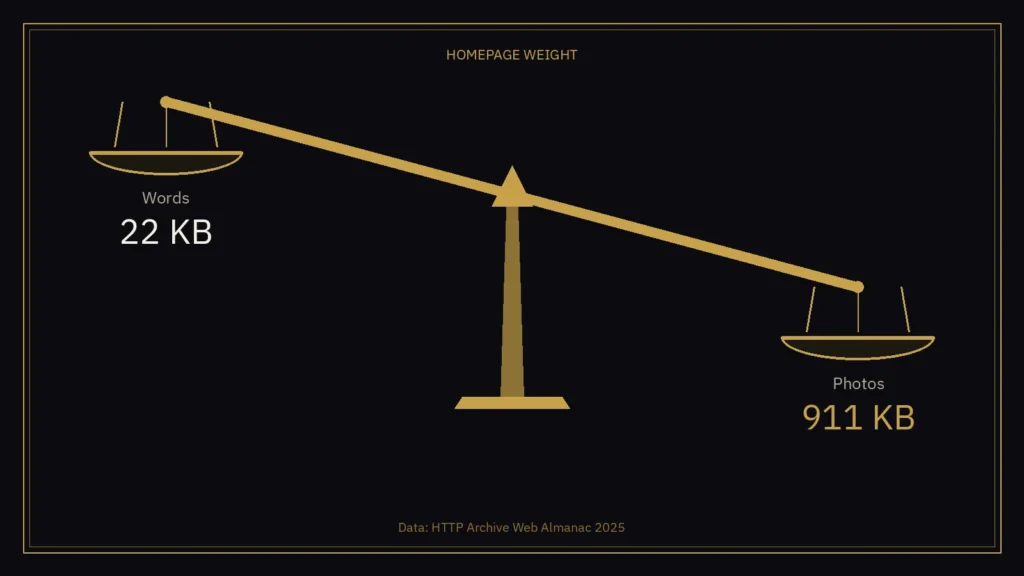
Here’s a number I keep coming back to. On the typical mobile homepage, the words weigh about 22 KB. The photos weigh about 911 KB.
That’s not my guess. It’s from the HTTP Archive’s Web Almanac 2025, which measures millions of websites every year. Its Page Weight chapter, published in January, found the median mobile homepage in July 2025 came in at about 2.6 MB. Images were the single biggest part of it.
So if your website feels slow on a phone, I’d look at the photos before anything else.
What the typical homepage is made of
Here’s how the median mobile homepage broke down in that study:
- Images: 911 KB
- JavaScript (the code behind menus, sliders, chat widgets and tracking): 632 KB
- Fonts: 122 KB
- CSS (the styling): 77 KB
- HTML (the page itself, including your words): 22 KB
Two things stand out. Homepages carry far more image weight than the rest of a site: the same study puts the median inner page at 354 KB of images, against 911 KB on the homepage. And pages are getting heavier, not lighter. The median mobile homepage grew by about 8% in a year.
These are medians across millions of sites, so your site could be lighter or heavier. That’s why the first step below is to check yours, not to assume.
Why weight matters
A heavy page takes longer to show anything useful, especially on a phone with a patchy signal. The Almanac compared page weight with Google’s Core Web Vitals, the speed and stability scores Google measures from real Chrome users. On mobile, 57% of homepages under 1 MB passed. For homepages of 5 MB or more, only 30% did.
That’s a link, not proof that weight alone causes the problem, and the real user data only covers sites with enough visitors. But the direction is clear, and Google does use these scores as part of how it ranks pages.
For a café, a salon or a trades business, the visitor on a phone is usually the one who’s ready to book, ring or walk in. They are the last people you want waiting.
Five fixes for a slow website on mobile
None of these need a new website. Most are an afternoon’s work on an existing one. If you’re deciding between a tidy-up and a rebuild, see what a small business website costs in the UK.
- Check what your homepage actually weighs. Put your address into Google’s free PageSpeed Insights and look at the mobile result. It will flag oversized images and tell you roughly how much you could save.
- Size photos to how big they show on screen. A photo straight off a phone or a camera is often several thousand pixels wide. If it only ever shows as a 600 pixel card, the visitor is downloading a lot of picture they’ll never see.
- Use modern formats. WebP and AVIF usually make much smaller files than JPG or PNG for the same photo. WordPress supports both, and most image plugins can convert your existing library.
- Load photos lower down the page only when someone scrolls to them. This is called lazy loading, and WordPress turns it on by default for most images. The exception is the big photo at the very top: that one should load straight away, so the page doesn’t look empty.
- Think twice about a background video on the homepage. The Almanac found video files among the heaviest things on mobile homepages. If you love the video, keep it short, compress it, and show a still image on phones.
The bit I’d remember
Your homepage photos are probably the heaviest thing on it. A slow website on mobile is more often heavy photos than too many words. Your words are almost certainly the lightest. Visitors came for the words, the prices and the “book now” button.
Make sure they get those first.
Slow website on mobile: quick answers
Why is my website slow on a phone?
On a typical mobile homepage the photos weigh about 911 KB and the words only about 22 KB, according to the HTTP Archive Web Almanac 2025. Check the photos first.
Can I speed up a slow website on mobile without a rebuild?
Yes. The five fixes are mostly an afternoon’s work: check the page in PageSpeed Insights, size photos to the size they display, use WebP or AVIF, lazy load lower images but load the top photo straight away, and think twice about a homepage background video.
Does page weight affect Google rankings?
Google uses Core Web Vitals as part of how it ranks pages. In the Almanac figures, 57% of mobile homepages under 1 MB passed those checks, against 30% of those at 5 MB or more. That’s a link, not proof that weight alone causes the problem.
If you’d like me to look at what your homepage weighs and what’s worth fixing, that’s the kind of job I do. Start a project or email contact@shaandesigns.com.
Sources: HTTP Archive, Web Almanac 2025, “Page Weight” chapter, published 15 Jan 2026, data from July 2025 (https://almanac.httparchive.org/en/2025/page-weight); Google PageSpeed Insights (https://pagespeed.web.dev/).